Version 0.3 · notarized for macOS 14 and later

Insert a disc.
Walk away.

Spindle rips your CDs bit-exactly, checks every track against a database of other people's rips, tags them from MusicBrainz with cover art, and delivers the album to your music server. Then it ejects and waits for the next one.

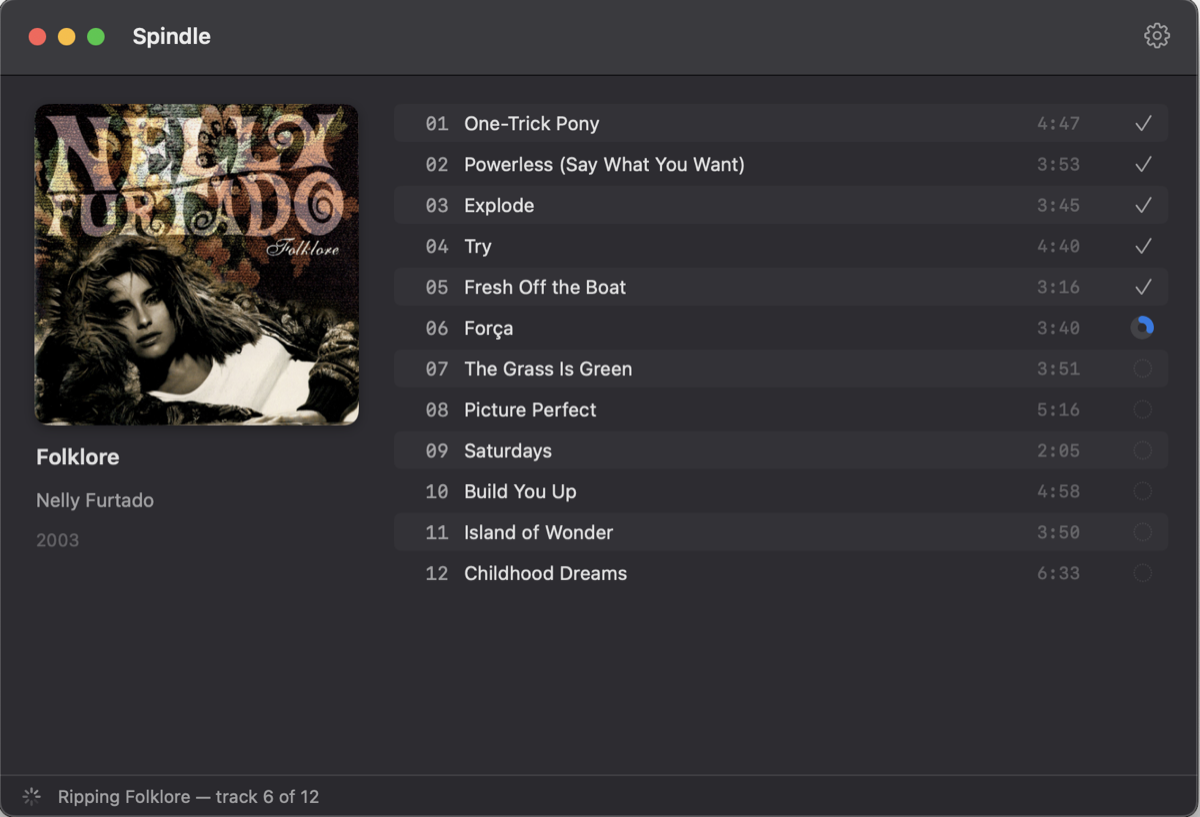
Spindle ripping Nelly Furtado's Folklore: cover art on the left, a twelve-track list on the right with five tracks checked off and the sixth in progress.

Accurate by construction

Spindle reads raw audio sectors straight from the drive, corrects for your drive's read offset, and re-reads anything the drive flags until consecutive reads agree. Then it proves the result: every track's checksum is compared with the CUETools Database, so a match means your rip is identical to rips made on other people's drives.

Drives that lie about errors, discs that need twenty minutes of retries, an unreadable track holding up the batch — Spindle has a plan for each, and the rip log in every album folder shows what it did.
Spindle 0.3.0 — rip log
Drive       : Apple SuperDrive (HL-DT-ST DVDRW GX50N)
Read offset : +6 samples
Rip mode    : secure, verify-first

Tracks
  01  CRC32 3A0F7C7D  CTDB 980621E5  ✓ verified
  02  CRC32 59E0D140  CTDB 59E0D140  ✓ verified
  03  CRC32 6854EE2E  CTDB 6854EE2E  ✓ verified
  …
  12  CRC32 FCEFFF5B  CTDB 6891F2C7  ✓ verified

Verification: 12/12 tracks verified (CTDB, 110 entries)

One disc at a time, without you

The drive is the only bottleneck, so Spindle keeps it busy. While one album encodes and uploads, the next disc is already ripping.

  1. 01

    Detect & rip

    The disc is claimed the moment it appears, read raw with C2 error pointers, and staged as WAV.

  2. 02

    Identify

    The MusicBrainz DiscID is looked up while the rip runs. Several pressings? You pick — the rip never waits for you.

  3. 03

    Verify & eject

    Checksums are compared with the CUETools Database; only what it can't vouch for is re-read. Then the disc pops out.

  4. 04

    Encode & deliver

    FLAC, ALAC or AAC with full Picard-style tags and art, uploaded to a folder or over SFTP into your library.

Tags a librarian would approve

Album, artist, sort names, label, catalog number, barcode, ISRC, release country and every MusicBrainz identifier — the same tag set Picard writes, in FLAC and in M4A. Cover art comes from the Cover Art Archive, embedded and saved as cover.jpg.

Built for Navidrome

Deliver straight to your server over SFTP, or to a folder on a mounted NAS share. Files land under a hidden name and are renamed when complete, so a library scanner never sees half a track. SSH host keys are pinned on first contact.

Your names, your layout

A small template language decides the folder and file names — {albumartist}/{album}[ ({year})]/{track} - {title} by default, multi-disc aware, sanitized for SMB and Windows-friendly volumes.

Honest about damage

A scratched track gets a time budget instead of holding the batch hostage. What couldn't be read is zero-filled, reported in the app, and written into the rip log and cue sheet beside the audio.

Questions

Which drives work?
Any USB or built-in CD drive macOS can see, including the Apple SuperDrive. Spindle suggests the read offset for common drive families and confirms it through database verification.
Why isn't it on the App Store?
Accurate ripping needs raw access to the drive, which the App Store sandbox forbids. Spindle is a Developer ID app: signed, notarized, and updated in place.
What about MP3?
Not offered. FLAC and ALAC are lossless; AAC at 256 kbps covers the small-file case. All three come from Apple's own encoders.
Is it free?
Yes. Spindle is open source under the MIT license, and the app updates itself when a new version is released.

Feed it a shelf.

Download for macOS

Requires macOS 14 or later and an optical drive.